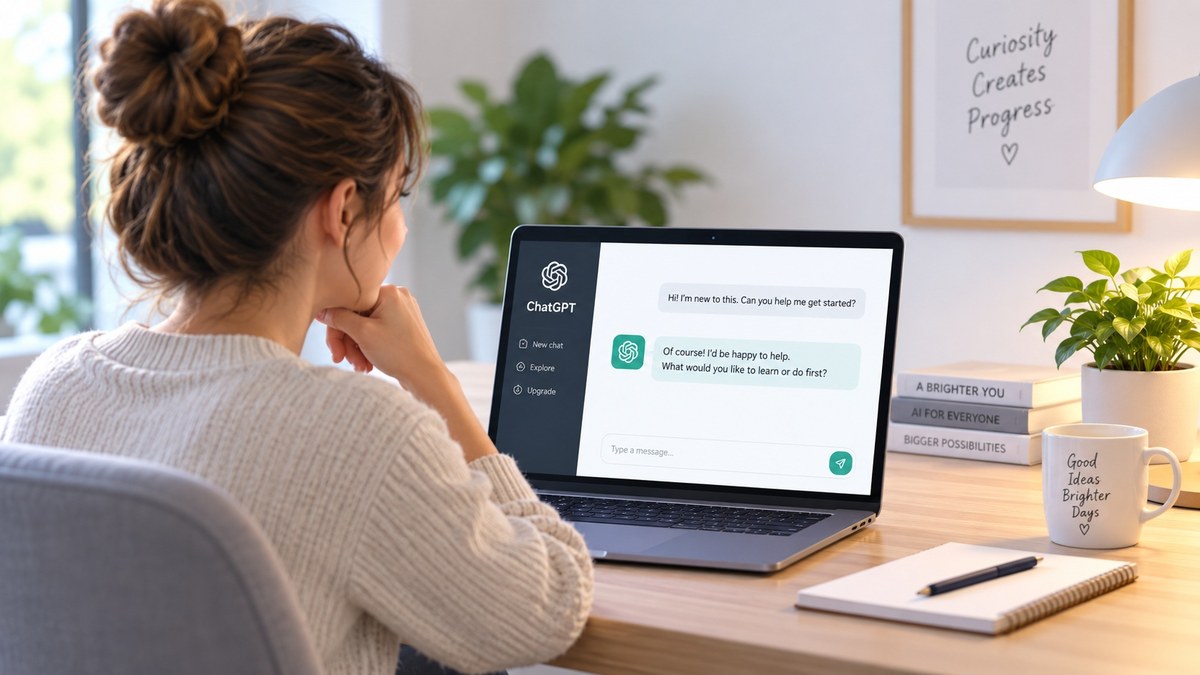
ChatGPT can seem confusing if you have never used artificial intelligence before, but getting started is easier than it looks. This beginner-friendly guide will walk you through the basics step by step so you can start using ChatGPT with confidence.
What Is ChatGPT?
ChatGPT is an artificial intelligence tool that can understand questions and instructions written in everyday language. You can use it to ask questions, explain difficult topics, brainstorm ideas, write or improve text, organize information, and help with many everyday tasks.
How to Open ChatGPT
- Open an internet browser such as Chrome, Edge, Safari, or Firefox.
- Click the address bar at the top and type chatgpt.com, then press Enter.
- When ChatGPT opens, sign in if you already have an account or create a free account if you want your conversations saved. In supported regions, ChatGPT can also be tried without creating an account.
- Find the message box and type a question or instruction. This is called a prompt.
- Press Enter or the Send button. ChatGPT will respond, and you can continue the conversation by asking follow-up questions.
Beginner Tip: Type chatgpt.com directly into the browser address bar so you know you are opening the official ChatGPT website.
How to Start Your First Conversation
Once ChatGPT is open, you do not need to know any special commands. Simply type what you want help with in plain, everyday language. The clearer you are about what you need, the easier it is for ChatGPT to give you a useful answer.
For example, instead of typing only “dinner,” try giving ChatGPT more useful details:
“Give me three simple dinner ideas for two people that take less than 30 minutes to make.”
What Can You Ask ChatGPT?
You can ask ChatGPT for help with many everyday tasks. You do not need to use special wording. Start by explaining what you want as clearly as you can.
- Explain something you do not understand.
- Help write or improve an email.
- Brainstorm ideas for meals, gifts, trips, or projects.
- Create a simple checklist or plan.
- Summarize information.
- Help organize your thoughts.
- Suggest questions to ask when researching something.
- Teach you how to do something step by step.
How to Get Better Answers from ChatGPT
You do not need to learn complicated commands to use ChatGPT well. A good prompt simply gives ChatGPT enough information to understand what you need. If the first answer is not quite right, you can continue the conversation and ask it to change, explain, shorten, simplify, or improve the answer.
- Say what you want. Start with the task or question you need help with.
- Give useful details. Include things such as your goal, budget, time available, experience level, or other important limits.
- Say how you want the answer. You can ask for simple instructions, a checklist, examples, a table, or a step-by-step explanation.
- Keep the conversation going. If something is confusing, ask ChatGPT to explain it differently or give you another example.
For example, compare these two prompts:
“Help me plan a vacation.”
“Help me plan a three-day vacation for two adults with a $1,000 budget. We will be driving, prefer outdoor activities, and need simple hotel suggestions.”
The second prompt gives ChatGPT more information to work with, so the answer can be much more useful and specific.
A Few Things Every Beginner Should Know
ChatGPT can be extremely helpful, but it is still an AI tool. Knowing a few simple things from the beginning will help you use it more safely and get better results.
ChatGPT Can Make Mistakes
ChatGPT can sometimes give an answer that sounds confident but is incomplete or incorrect. For important decisions involving money, health, legal matters, dates, or other facts that really matter, double-check the information before acting on it.
Use Current Information When You Need It
Some questions depend on information that changes over time, such as prices, news, business hours, travel information, or new technology. ChatGPT can search the web when current information is needed and may provide citations to the sources it used. Open those sources and make sure they actually support the answer, especially when accuracy matters.
Be Careful With Private Information
Avoid entering passwords, Social Security numbers, banking information, or other highly sensitive information into a chat. If you use a personal ChatGPT account, you can also go to Settings → Data Controls and turn off “Improve the model for everyone” if you do not want new conversations used to help improve OpenAI’s models.
You Can Always Ask a Follow-Up Question
You do not have to accept the first answer exactly as it is. Ask ChatGPT to explain something more simply, give another example, shorten the answer, create a checklist, or try a different approach. ChatGPT remembers the context of the conversation while you continue chatting.
Try These Simple First Prompts
If you are not sure what to type, start with one of these simple examples. You can copy a prompt, change the details, and make it fit what you need.
- “Explain [topic] to me like I am a complete beginner.”
- “Help me write a friendly email about [situation]. Keep it short and clear.”
- “Give me five inexpensive dinner ideas using ingredients I probably already have at home.”
- “Create a simple checklist to help me organize [room, project, trip, or task].”
- “Teach me how to do [task] step by step. Assume I have never done it before.”
- “Help me compare these two choices: [choice one] and [choice two]. Explain the advantages and disadvantages of each.”
- “Give me five ways I could save money on [expense]. Start with the easiest ideas.”
- “Help me plan my day. I need to accomplish [tasks] and I have [amount of time] available.”
- “Rewrite this so it sounds clearer and more professional: [paste your text].”
- “Ask me questions one at a time so you can better understand what I need help with regarding [topic].”
These are only starting points. You can change the words, add details, or ask ChatGPT to improve the answer until it becomes useful for your situation.
The first prompt does not have to be perfect. A conversation with AI is usually a process of asking, reviewing, and refining. Start with what you know, look at the response, then add details or ask follow-up questions until the answer becomes more useful.
Where to Go From Here
The easiest way to learn ChatGPT is to start using it. Pick one simple task from your everyday life and try asking ChatGPT for help. Do not worry about using perfect wording. Explain what you need, add useful details, and ask follow-up questions when something is unclear.
As you become more comfortable, you can use ChatGPT for larger projects, research, planning, writing, learning, organizing information, and many other tasks. Start simple, experiment, and build your skills a little at a time.
Quick Recap
- ChatGPT lets you ask questions and give instructions in everyday language.
- You can start with a simple request and add more detail when needed.
- Better prompts usually include your goal, useful details, and the kind of answer you want.
- You can ask follow-up questions instead of starting over.
- Important information should be checked before you rely on it.
- The best way to learn ChatGPT is to practice with real tasks from your own life.
Ready to Practice?
Choose one small task you need help with today and try it in ChatGPT. Start with a simple prompt, see what you get, and then ask a follow-up question to improve the answer. You will learn much faster by using ChatGPT than by trying to memorize a long list of rules.
Need an idea to try? Read our guide: 5 Everyday Uses for ChatGPT for Adults 50+.